How to Play Pyramid Solitaire: Rules, Controls, and 7 Tips to Clear the Pyramid
What Is Pyramid Solitaire?

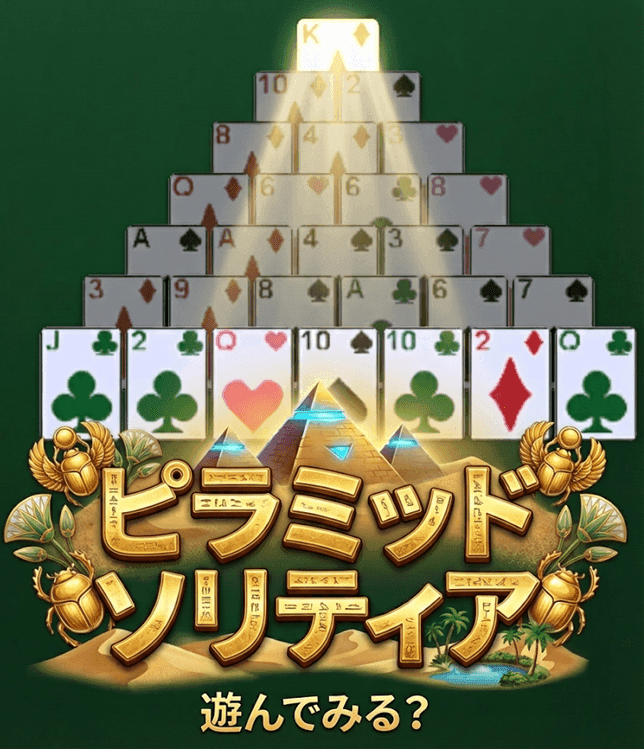
Pyramid Solitaire is a single-player card game in which you clear a pyramid of cards by removing pairs that add up to 13. The only math involved is simple addition, so the rules take a minute to learn. What makes it interesting is the order: which pairs you take, and when, can decide whether the pyramid comes down or you run out of moves.
Yotsuba Games' Pyramid Solitaire is free and runs right in your browser. This guide follows how the game actually works and covers the basic rules, the controls on PC and mobile, practical tips for clearing the pyramid, and answers to common questions.
Basic Rules
Goal
Remove all 28 cards in the pyramid to win. It doesn't matter if cards are still left in the stock or the waste pile — an empty pyramid is a win.
The Layout
The game uses one standard 52-card deck (no jokers), dealt like this:
- Pyramid (28 cards): seven rows that grow from one card at the top to seven at the bottom. Every card is dealt face up.
- Stock (24 cards): the remaining cards, which you turn over one at a time.
- Waste pile: where cards drawn from the stock go. Only the top card is available.
Card Values and Pairs That Make 13
Aces count as 1, Jacks as 11, Queens as 12, and Kings as 13. Suits and colors don't matter. There are six ways to make 13, and because a King is already worth 13, it can be removed on its own.
| Pair | Values |
|---|---|
| A + Q | 1 + 12 |
| 2 + J | 2 + 11 |
| 3 + 10 | 3 + 10 |
| 4 + 9 | 4 + 9 |
| 5 + 8 | 5 + 8 |
| 6 + 7 | 6 + 7 |
| K (alone) | 13 |
Which Cards You Can Use
A pyramid card becomes available only when both cards overlapping it in the row below have been removed. At the start, only the seven cards in the bottom row are available. Cards you can't use yet are shown slightly darker, so they're easy to tell apart.
You can make a pair from:
- two available pyramid cards, or
- one available pyramid card and the top card of the waste pile.
If the top of the waste pile is a King, it can be removed by itself as well. Cards still in the stock, and waste cards below the top one, can't be used.
Up to Three Passes Through the Stock
You draw from the stock one card at a time onto the waste pile. When the stock runs out, you can use Recycle to turn the waste pile back into the stock. Recycling is allowed twice per game, so you get up to three passes through the stock in total. A recycled stock comes out in the same order as the previous pass (minus any cards you removed).
Winning and Getting Stuck
Clear all 28 pyramid cards and the results screen shows your score, time, and moves. If you've used all three passes and there are no pairs or Kings left to take, a "no moves left" message appears. The game doesn't end automatically, though: you can use Undo to go back and try a different line, or press Give Up to finish the game.
Scoring
| Action | Points |
|---|---|
| Remove a pair | +10 |
| Remove a King | +10 |
| Clear bonus | 5 × the number of cards left in the stock when you clear |
| Undo a removal | The points from that move are taken back, plus a 5-point penalty |
Undoing a draw or a recycle costs nothing. Your score isn't shown during play — you'll see it on the results screen at the end of the game.
Controls
Removing Cards (PC and Mobile)
Click with a mouse on PC, or tap on a phone or tablet. The game screen is in portrait format and scales automatically to fit your display.
- Click or tap an available pyramid card, or the top of the waste pile. The selected card lights up in gold.
- Any card that would make 13 with it glows green.
- Click or tap a glowing card, and both cards are removed together.
- A King is removed instantly with a single click or tap.
Press the selected card again to deselect it. If you press a card that doesn't make 13, the selection simply moves to that card.
Buttons and Display
| Button / Display | What It Does |
|---|---|
| ↩️ Undo | Takes back your last move, one step at a time, as many times as you like. |
| 📥 Draw | Turns over one card from the stock (clicking the stock itself works too). When the stock is empty and a recycle is available, it changes to "🔄 Recycle". |
| 🔄 New Game | Starts a new deal after a confirmation. |
| 🏳️ Give Up | Ends the current game and goes to the results screen. |
| Game number | The number of the current deal. Click it to copy the number. |
| ☆ (star) | Adds the current deal to your favorites, with an optional comment. |
| Left / ⏱️ / Moves | Pyramid cards remaining, elapsed time, and the number of removals. Draws are not counted as moves. |
On the Title Screen
- Start with a game number: the same number always gives the same deal, so you can retry a deal you couldn't solve or study it as often as you like. Leave it blank for a random deal.
- 📊 Statistics: games played, wins, win rate, current streak, best streak, high score, best time, and fewest moves.
- ⭐ Favorites: replay any saved deal straight from the list with the ▶ button.
- 🌐 Language: switch between Japanese and English.
- Google account linking: once linked, your stats and favorites are saved to the cloud and shared across your devices.
7 Tips for Clearing the Pyramid
1. Survey the Whole Pyramid First
All 28 pyramid cards are dealt face up, so you can read the values of cards you can't use yet. Before your first move, check where the Kings are and where the partners for awkward cards are sitting. Using that visible information is the biggest advantage Pyramid Solitaire gives you, and it helps you avoid dead ends later on.
2. Take Kings as Soon as They Open Up
A King never pairs with anything — it's removed alone. Leaving it in place gains you nothing and only blocks the cards above it, so remove it the moment it becomes available. The same goes for a King that turns up on the waste pile.
3. Watch for Cards That Block Their Own Partner
Two cards can add up to 13 and still be impossible to pair if one of them is covering the other. For example, if a 6 in a lower row is covering a 7 directly above it, that 6 has to be paired with a different 7 — another one in the pyramid or one from the waste pile. Spot these situations early and make sure another partner will be available.
4. Prefer Pairs That Open the Row Above
When you have more than one possible partner, choose the one that frees up a new card in the row above. A card only opens when both cards beneath it are gone, so finishing off the "last remaining" card under a half-uncovered card is an efficient way to break the pyramid down.
5. Count What's Left of Each Rank
There are only four cards of each rank. To remove a 4 you need a 9, and if three 9s are already gone, only one remains. Keeping track of how many partners are left — and where they are — makes it much easier to decide which pair to use first.
6. Remember the Stock Order for Later Passes
When you recycle, the cards come out in the same order as before. If you note roughly when each card appeared on the first pass, you can plan ahead on the second and third: "an 8 is coming up soon, so I'll save the 5 in the pyramid." Also, when you pair the top card of the waste pile, the card underneath becomes the new top and is usable again — treat the waste pile as a stack you can work down from the top.
7. Use Undo to Explore Different Lines
Even when you're stuck, Undo lets you go back as far as you want. Each undone removal costs 5 points, but if your goal is to clear the pyramid, going back to the last decision point and trying a different pair is usually the fastest route. If you're chasing a high score, remember that the clear bonus grows with the number of cards still in the stock when you finish.
Frequently Asked Questions
How many times can I go through the stock?
Three times in total: the first pass plus up to two recycles. After the third pass, the stock can't be used again.
Can I use cards lower down in the waste pile?
Only the top card of the waste pile is available. However, once you remove the top card in a pair (or as a King), the card beneath it becomes the new top card and can be used.
What do I do when a King appears on the waste pile?
Just click or tap the waste pile once to remove it. Like a King in the pyramid, it doesn't need a partner.
Can I play the same deal again?
Yes. Note the game number shown at the top of the screen during play, then enter it on the title screen to get the same deal. If you add the deal to your favorites with the ☆ button, you can replay it from the list at any time.
What happens to my stats if I start a new game midway?
Starting a new game before you clear the current one, or giving up, records that game as a loss. If you close the page in the middle of a game, it's recorded as a loss the next time you open the game.
Related Articles and More Card Games
If you enjoy Pyramid Solitaire, TriPeaks — another game about clearing cards from the table — is a natural next step. Our guides to the other solitaire games are listed below too.