Confirmed Version: v1.19.8
Overview
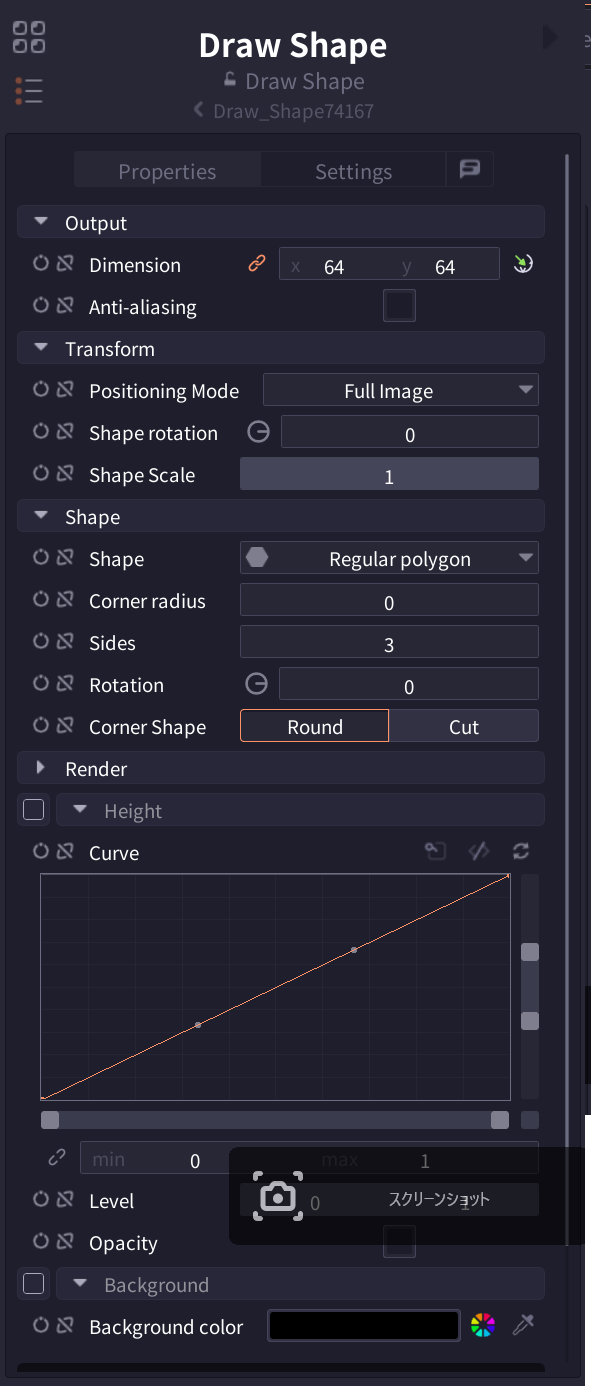
The Draw Shape node is used to generate basic shapes (polygons, circles, rectangles, etc.) in PixelComposer. It can create various shapes from simple figures to complex polygons, serving as fundamental assets for game development and pixel art creation.
Parameters
| Parameter | Description |
|---|---|
| Dimension | Output image size (X: width, Y: height). Default: 64x64 |
| Anti-aliasing | Enable/disable anti-aliasing for smooth edges |
| Positioning Mode | Placement mode (Area/Center+Scale/Full Image) |
| Shape rotation | Shape rotation angle (0-360 degrees) |
| Shape Scale | Shape scale (default: 1) |
| Shape | Shape type (22 types: Rectangle, Diamond, Ellipse, Star, Heart, etc.) |
| Corner radius | Set corner rounding (0 for sharp corners) |
| Sides | Number of polygon sides (3: triangle, 4: square, 5: pentagon...) |
| Height | Enable/disable 3D height effect |
| Curve | Gradient effect curve adjustment |
| Opacity | Overall shape opacity (0: transparent - 1: opaque) |
| Background | Enable/disable background |
| Background color | Background color setting |
Interface
Pro Tips
- The Curve graph controls brightness variation based on distance from center
- Combine multiple Draw Shape nodes to create complex shapes
- Use with Blend node for more complex compositing